
MixNotes
A notebook for your sessions, inside your DAW. Write your notes, stamp the moment you heard something, tick off revisions, and it all saves with your project.
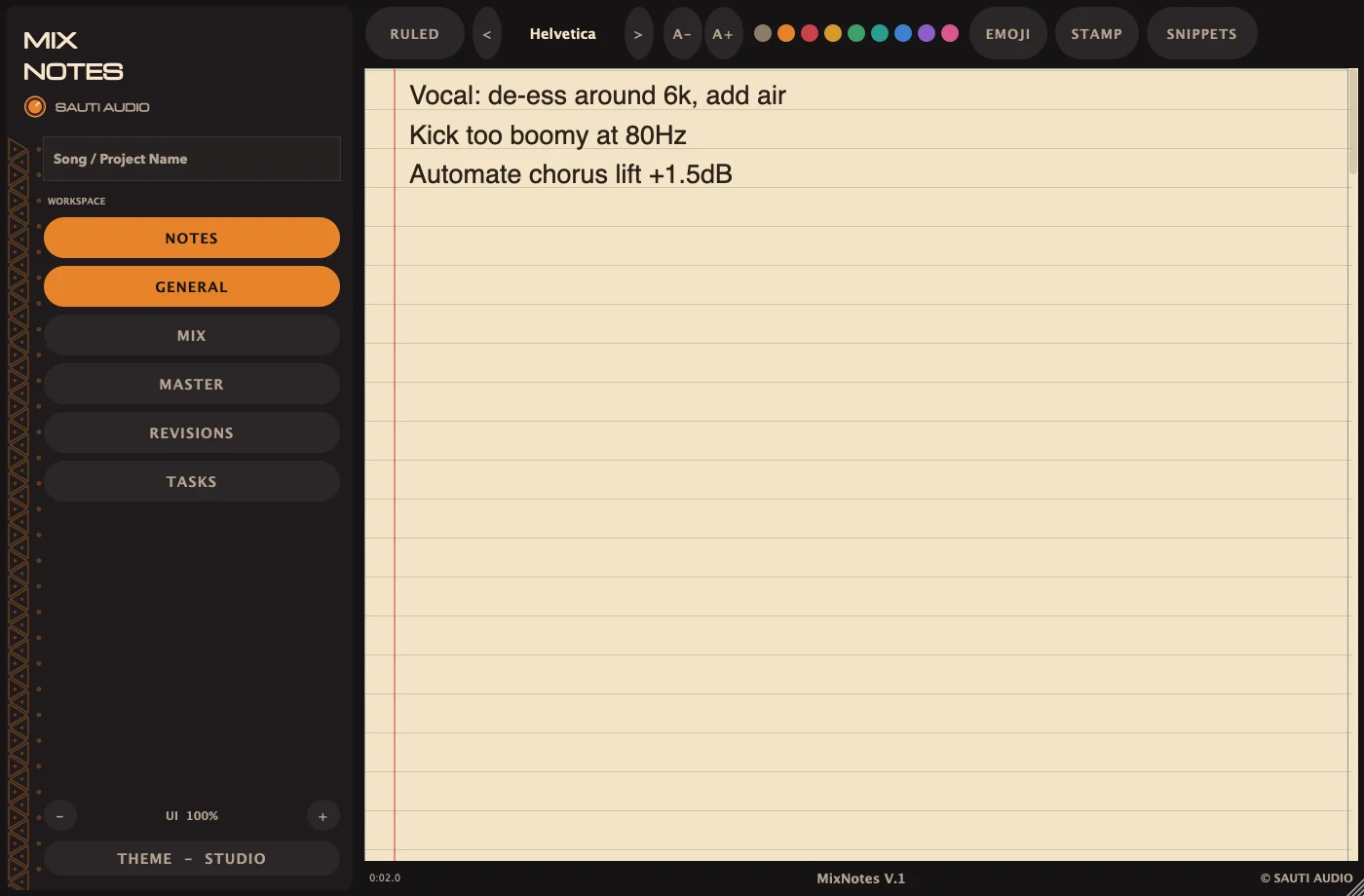
Four pages per song, real rich text.
General, Mix, Master and Revisions each keep their own note, so the client brief doesn't get lost in your EQ notes.
- Mixed formatting: different fonts, sizes and colours in the same note.
- Ruled or plain paper, with a big 27pt writing size by default, easy to read from your mix position.
- Saved in the project: notes travel with the session file to any studio.
Pin a note to the exact second.
While the song plays, hit STAMP or ⌘T. Mix Notes types the DAW's current position into your note, so “clicks in the vocal” becomes [2:14.6] clicks in the vocal.
Try it here: type a note, then press STAMP.
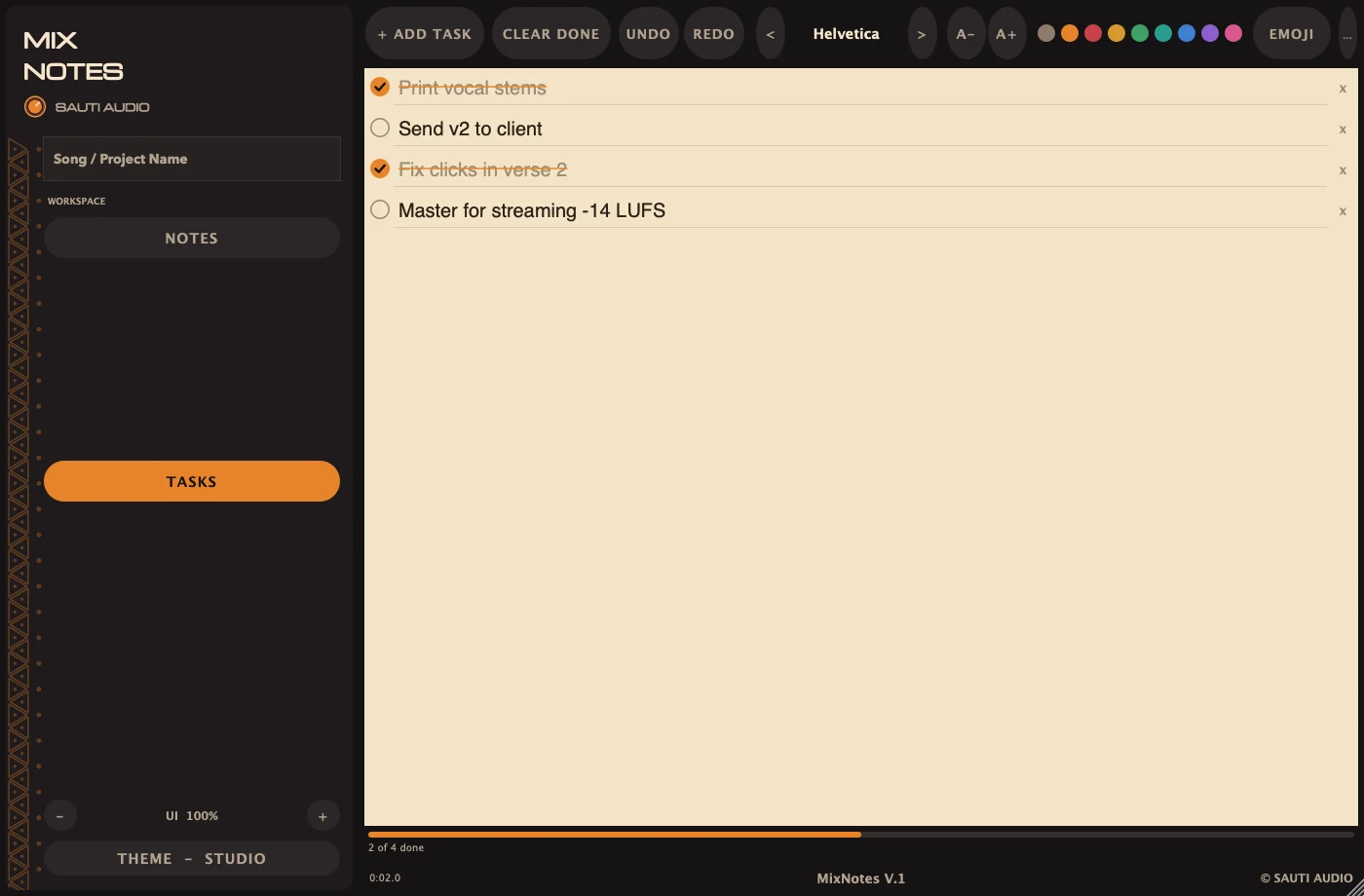
Revision rounds you can actually finish.
Keep a to-do list next to your notes, with a progress bar that fills as you work through it.
- One-click checklists: Mix prep, Mix delivery, Revision round and Mastering handoff.
- Your own checklists: save any list and reuse it in every project.
- Keyboard-fast: press Return to add the next task, with full undo and redo.
Templates for the notes you write every time.
Insert a revision header, today's date, a mix notes template, client feedback or a mastering handoff in one click. Save your own snippets and they show up in every session and every DAW.
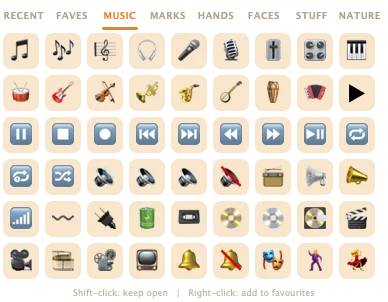
- Studio emoji picker with music, marks and favourites, for quick visual flags.
- UI scale from compact to large, and it stays sharp at every size.
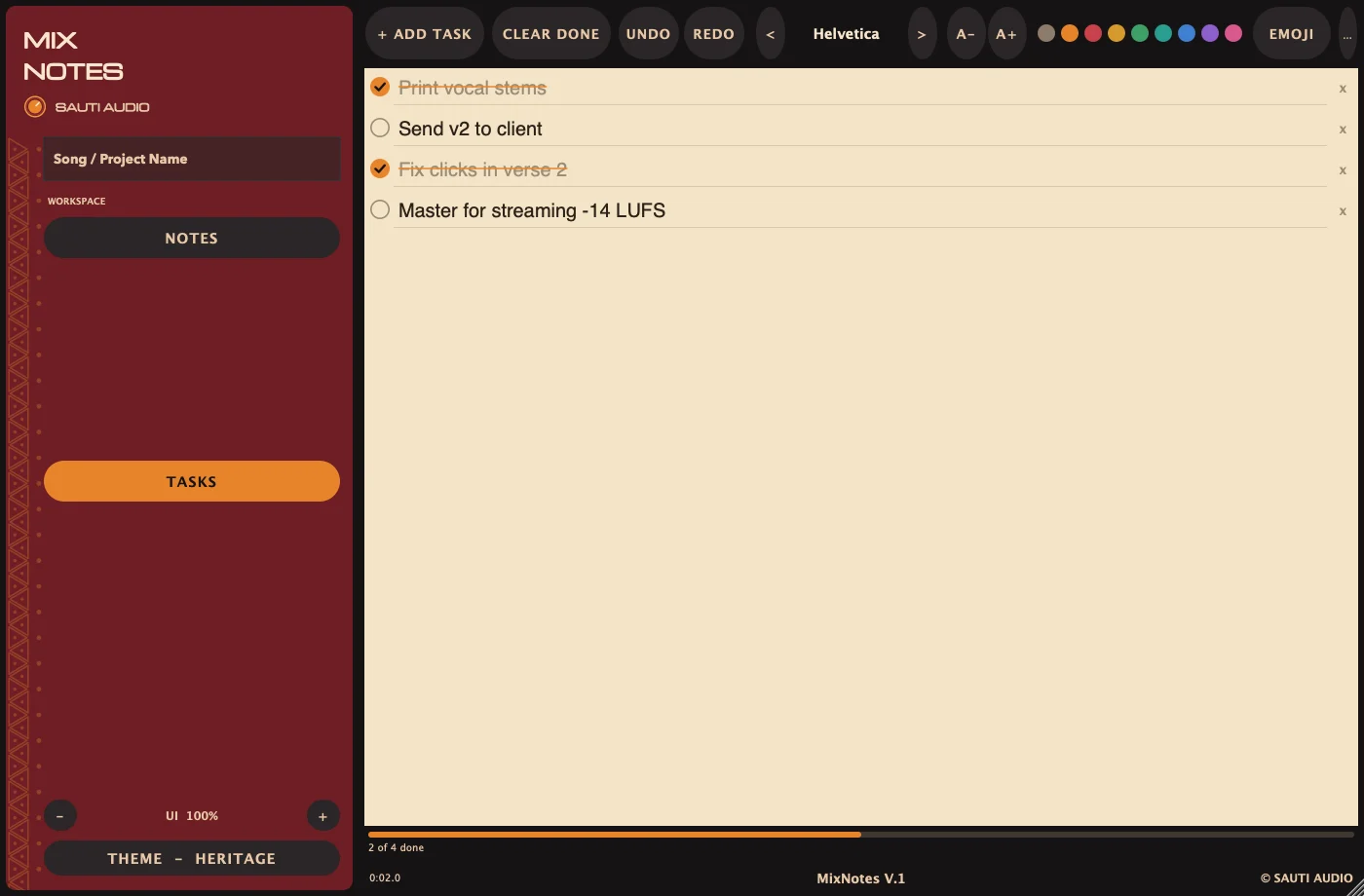
Seven looks, so it fits your room.
Bright for daytime sessions, dark for late nights, and warm colours for when you've been staring at meters all day.
Works where you work.
- Formats
- AU, VST3, AAX, CLAP and a standalone app
- Platform
- macOS (Apple Silicon)
- DAWs
- Pro Tools, Logic Pro, Ableton Live, FL Studio, Cubase, Studio One, Reaper, Bitwig and more
- CPU
- None. Audio passes through untouched.
- Storage
- Notes save inside your project. Snippets and checklists are shared across all projects.
- Themes
- Studio, Night, Light, Heritage, Clay, Indigo, Savanna
- Song position
- Read from the host for stamps and the footer readout
- Version
- 1.0 · free updates for V.1
Get Mix Notes
Leave your email and we’ll send one note when Mix Notes is available, with a code that takes $10 off, and nothing else unless you ask.
One-time purchase. Free V.1 updates. Instant download after checkout.
On the launch list? Enter your code at checkout to pay $29.
- AU · VST3 · AAX · CLAP · Standalone
- One installer for every format
- Real email support from the people who built it
Secure checkout by Lemon Squeezy. Prices include VAT and sales tax where applicable. Refund policy.
Questions, answered.
Does Mix Notes affect my audio or CPU?
No. It's a notes plugin and passes audio through untouched. Put it on any track or bus; most people put it on the master or a spare aux.
Where are my notes saved?
Inside your DAW project, like any plugin setting. Save the session and the notes are saved with it. Your own snippets and checklists are kept in one library on your Mac, so they're available in every project.
Will the stamp work in my DAW?
Stamps use the song position your DAW sends to plugins. Most DAWs send it during playback and many while stopped. If no position is available, Mix Notes tells you and skips the stamp.
Is there a Windows version?
Not yet; Mix Notes is macOS-only for now. Join the list and we'll let you know if a Windows version ships.
How do I install it?
Run the installer and restart your DAW. It installs AU, VST3, CLAP and AAX in one go. See Support for manual install paths.
Do I get updates?
Yes. All V.1 updates are free for everyone who owns Mix Notes.